
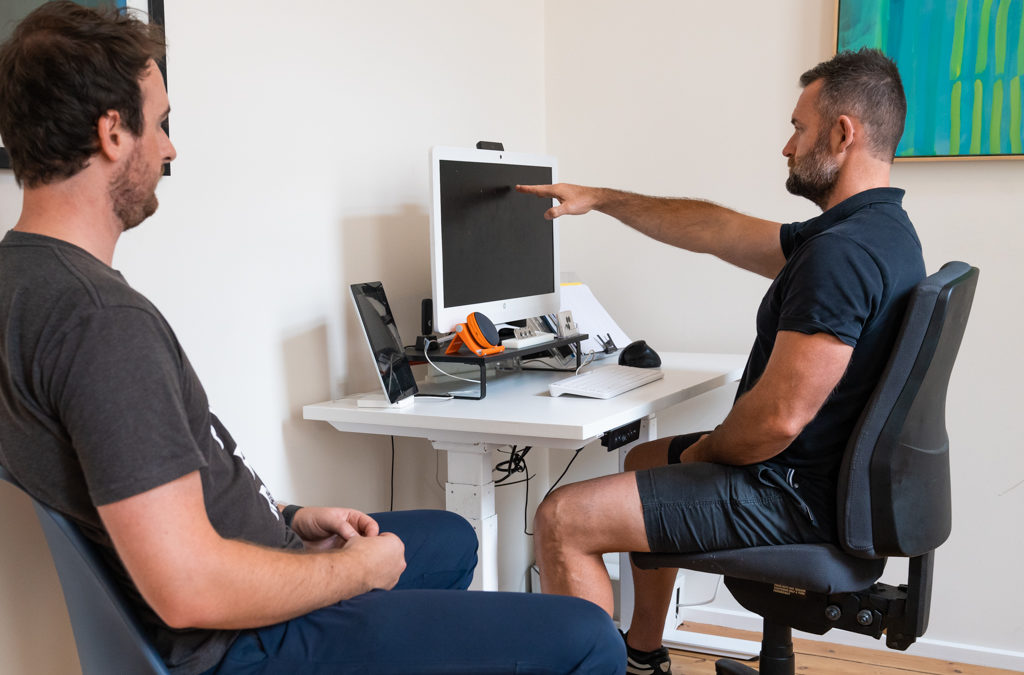
What to Expect at Your Ergonomic Workstation Assessment

If you’re booked in for an Ergonomic Workstation Assessment at Principle Four Osteopathy, this guide explains exactly what the assessment involves, how it’s conducted, and how it can help reduce discomfort, improve posture and support long-term work health.
Ergonomic assessments are commonly recommended for people experiencing neck, back, shoulder, wrist or postural pain, or for those wanting to proactively optimise their workstation setup — whether at home or in the office.
What Is an Ergonomic Workstation Assessment?
An ergonomic workstation assessment is a structured review of how your workstation, posture and work habits interact with your body.
At Principle Four Osteopathy, ergonomic assessments focus on identifying:
-
Poor workstation setup or layout
-
Awkward or sustained postures
-
Repetitive or high-load tasks
-
Equipment mismatches (chair, desk, screen, keyboard, mouse)
-
Work habits contributing to discomfort or fatigue
The goal is to reduce strain, improve comfort and support sustainable work capacity — not just temporarily, but long term.
👉 Ergonomic Workstation Assessment Melbourne CBD
Who Are Ergonomic Assessments For?
Ergonomic workstation assessments are suitable for:
-
Office-based and desk-based workers
-
People working from home or hybrid setups
-
Employees experiencing recurring aches or pain at work
-
Employers wanting to support staff wellbeing
-
Individuals returning to work after injury
-
People spending long hours at a computer
Assessments can be completed face-to-face or remotely, depending on your needs.
👉 Workplace Ergonomics Services
Before Your Assessment: How to Prepare
To prepare for your ergonomic workstation assessment:
-
Ensure your workstation is set up as you normally use it
-
Have access to your chair, desk, screen(s), keyboard and mouse
-
Be ready to discuss:
-
Your role and typical work tasks
-
Daily hours at your workstation
-
Current pain or discomfort
-
Previous injuries or conditions
-
If the assessment is remote, you may be asked to position your camera to show your workstation from different angles.
What Happens During Your Ergonomic Workstation Assessment?
1. Initial Discussion & Work Demands Review
Your osteopath will begin by discussing:
-
Your work role and daily tasks
-
Typical hours and breaks
-
Any pain, stiffness or fatigue you experience
-
Past injuries or relevant medical history
This helps tailor recommendations to your actual work demands, not just textbook ergonomics.
2. Postural & Workstation Review
Your practitioner will assess:
-
Sitting posture and spinal alignment
-
Desk, chair and screen height
-
Keyboard and mouse positioning
-
Reach zones and equipment layout
-
How often posture changes during the day
This step identifies areas where your workstation may be overloading certain joints or muscles.
3. Task Observation
Where relevant, your osteopath may observe:
-
Typing and mouse use
-
Screen switching
-
Phone or laptop use
-
Other repetitive or sustained tasks
This allows practical adjustments to be made that align with how you actually work, not how you “should” work.
4. On-the-Spot Adjustments & Education
During the assessment, your osteopath will:
-
Adjust chair, desk and screen setup
-
Provide posture and positioning guidance
-
Explain why certain changes matter
-
Offer strategies to reduce fatigue and tension
Education is a key part of the process — you’ll understand how to self-adjust your workstation going forward.
5. Recommendations & Follow-Up Plan
You’ll receive clear recommendations which may include:
-
Equipment adjustments or upgrades
-
Workstation layout changes
-
Postural variation strategies
-
Break scheduling and movement advice
-
Exercises or mobility strategies
For workplace or employer-based assessments, a written report can be provided where required.
Can Ergonomic Assessments Help With Pain?
Yes. Ergonomic workstation assessments are commonly used to help manage:
-
Neck and shoulder pain
-
Upper and lower back pain
-
Wrist, forearm or elbow discomfort
-
Headaches related to posture
-
General fatigue from prolonged sitting
They are often used alongside osteopathy treatment and exercise rehabilitation for best results.
Home Office vs Office-Based Assessments
Ergonomic assessments can be completed for:
-
Home offices (including temporary or shared spaces)
-
Corporate offices
-
Hot-desking environments
Each setup presents different challenges, and recommendations are tailored accordingly.
👉 Home Office Ergonomic Assessments
Frequently Asked Questions (FAQs)
How long does an ergonomic workstation assessment take?
Most assessments take 30–60 minutes, depending on complexity and whether a report is required.
Do I need new equipment?
Not always. Many issues can be improved through adjustments and education before purchasing new equipment.
Can this be done remotely?
Yes. Remote ergonomic assessments are available and are effective for many home and office setups.
Will I get a written report?
Reports can be provided where required — particularly for employers, HR teams or return-to-work plans.
Can ergonomic assessments help prevent injury?
Yes. Identifying poor setups early can reduce strain and help prevent the development of work-related pain.
Can this be combined with osteopathy treatment?
Absolutely. Many clients combine ergonomic assessments with hands-on treatment and exercise advice.
Summary
Your ergonomic workstation assessment at Principle Four Osteopathy is a practical, individualised review of how your workspace interacts with your body.
Rather than generic advice, you’ll receive clear, actionable recommendations designed to improve comfort, reduce strain and support long-term work health — whether at home or in the office.
Ready to Book an Ergonomic Assessment?
If you’d like to book an ergonomic workstation assessment or want to know which option is right for you: